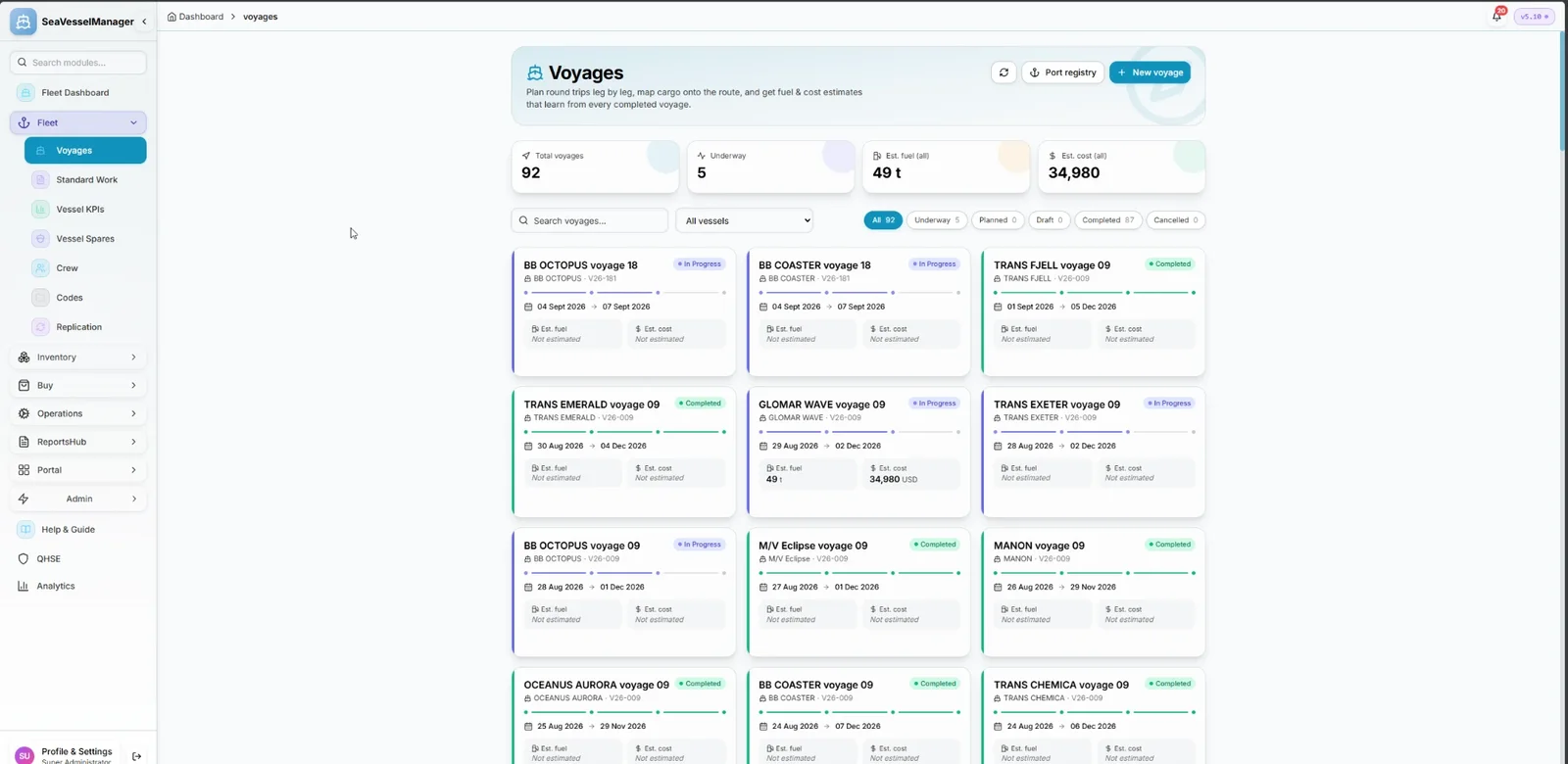
Plan voyages with ports and fuel, then compare the plan with what happened
Plan a voyage leg by leg, add the port calls, cargo and fuel, and follow it from draft to completed. When the voyage is done, see how the actual compares with the estimate.
Build a voyage from legs between ports, with dates for each leg. A voyage moves through Draft, Planned, Underway, Completed or Cancelled.
Add port calls from a built-in port registry of more than 17,000 ports, and see the route on a map.
Record the cargo carried on the voyage, next to the plan.
Estimate fuel consumption and cost for the voyage, and keep fuel logs while it is under way.
When the voyage is completed, compare the estimate with the actual figures.
See every voyage, or filter by vessel and by status: Draft, Planned, Underway, Completed and Cancelled.
Voyages replaces the earlier Trip Planner. Every voyage keeps its plan, port calls, cargo and fuel in one place, so the next plan starts from what really happened.
Real-time fleet overview with live telemetry and fleet-wide KPIs
SFI-based classification for all ship components
Vessel-specific allocation with stock monitoring
Track certificates with expiry alerts
Advanced analytics with dashboards
Procurement workflow from requisition to PO
Plan voyages with port calls, cargo and fuel
Crew records, certificates, availability and hours of rest
Plan a dry-docking from specification to yard quote
Cargo manifests for every voyage
Medical stock, kits and inspections
Move equipment between vessels and keep its history
Checked running-hours counters that drive maintenance
Incidents, inspections and corrective actions
A document library with versions and approval
Class surveys, findings and requirements
Can the vessel sail? The status and what blocks it
Role-based access control
Book a demo or request free access. No credit card required.